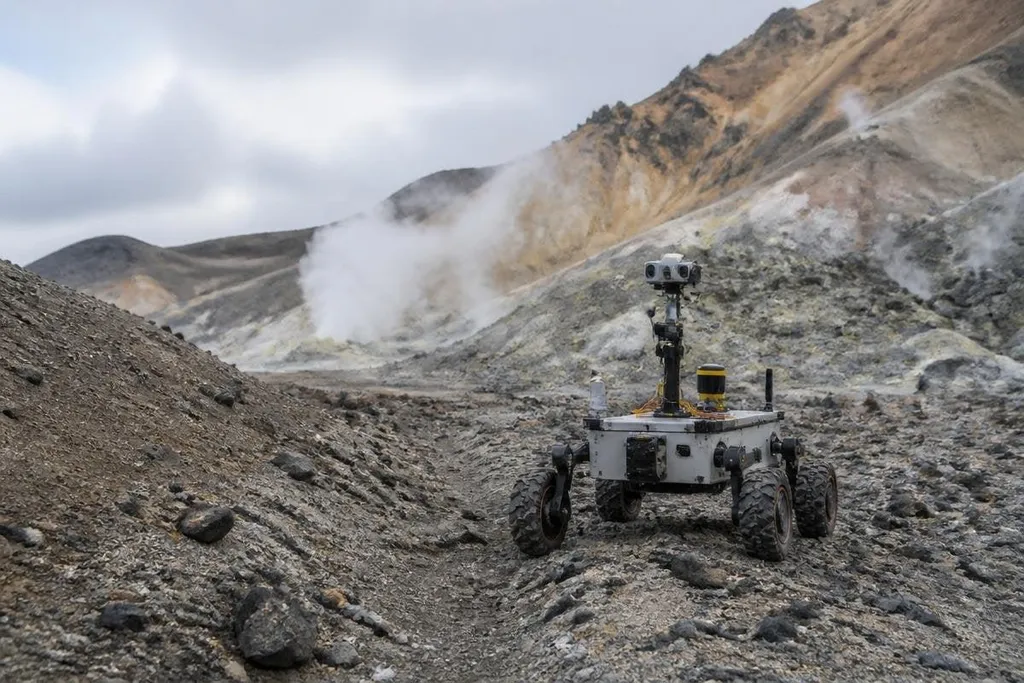
A research robot may spend weeks in a place where a person can stay for minutes. Its job is to collect useful data, keep working after contact with rough ground, and return evidence that scientists can check.
This article explains how those systems handle heat, cold, pressure, dust, weak communication, and unknown terrain.
Quick read
- Robots can inspect dangerous ground, collect samples, and send sensor data without putting a person at the site.
- Autonomy matters most when radio signals are slow, blocked, or lost.
- The hardest problem is often recovery after a wheel, leg, sensor, or power system fails.
The machine starts with a narrow job
Research robots work best when their task is clear. A ground robot may map a route, inspect a structure, measure gas, or collect a sample. An underwater robot may record pressure, temperature, and images around a seafloor site.
That task shapes the robot’s body. Wheels suit firm ground, while legs can step over gaps and rocks. A tracked base spreads weight across soft soil. A sealed housing protects electronics from dust or water, but seals add weight and make repairs harder.
Position sensing matters too. Cameras can track nearby features, LiDAR measures distance with laser pulses, and inertial sensors record changes in motion. A system that combines these inputs can estimate where it is when a clear satellite signal is unavailable.
The estimate is never perfect. Dust can hide visual features, water can block radio signals, and a loose slope can shift under the robot’s weight. The control system has to notice those changes before the planned route becomes unsafe.
Autonomy fills the communication gap
A person can guide a robot from a control room through teleoperation, which means sending movement commands from a distance. That works well when the signal is steady and the delay is short.
Extreme sites often remove those conditions. A signal may pass through water poorly, a rock wall may block it, or a long distance may create a delay that makes live control slow and risky. Local rules then handle stopping, turning, avoiding an obstacle, and checking whether a task worked.
Autonomy does not mean the robot understands the site like a person. It means the robot can compare sensor readings with set limits and choose from approved actions. For example, it may stop when its body tilts too far, reverse when a wheel loses traction, or wait for a new command after its cameras become unclear.
That division of work keeps the person involved where judgment matters. The robot handles repeated movement and immediate safety checks; the research team reviews the data and changes the plan when the site differs from the map.
Power loss can end a field mission long before a robot reaches its target. Extreme-environment robot reports can tie that risk to the machine’s battery, sensors, radio link, and test site. Those details lead into the design choices that keep a system working in heat, dust, pressure, or darkness.
Survival changes the design
Temperature affects batteries, motors, seals, cameras, and computer boards. Low temperatures can reduce battery output. Heat can shorten the life of electronics. Water pressure rises with depth, so an underwater robot needs a housing that can resist outside force without bending or leaking.
Dust creates a different problem. Fine particles can enter joints, cover camera lenses, or wear down moving parts. A robot built for dry, dusty ground may need sealed joints, protected vents, and a cleaning method that does not use a person’s hands.
Power also sets the work plan. A robot can spend energy moving, sensing, transmitting data, and keeping its electronics within a safe temperature range. If the route uses more power than planned, the robot may have to stop collecting samples and return to a known safe point.
The data link adds another limit. High-quality images take more storage and transmission time than a small sensor reading. A robot may need to save raw data onboard, send a short status message first, then transmit larger files when the link allows it.
What remains unproven
A clean demonstration can show that a robot completed one task under chosen conditions. It does not show how the same design behaves after days of dust, repeated impacts, low battery power, or a blocked sensor.
Recovery is another open problem. A robot that can avoid a rock may still fail when it tips, sinks into soft ground, or loses a motor. Designers need recovery actions, safe shutdown rules, and a way to tell the control team what went wrong.
The research value also depends on the data. A moving camera is not enough if the images lack position, time, calibration, or a clear link to the sample. The robot has to record the conditions around each result so another team can judge it later.
A practical choice guide
Before selecting a research robot, check these points:
- Define the site: list temperature, pressure, dust, water, terrain, and expected signal limits.
- Set the task: decide whether the robot must map, inspect, measure, collect, or carry equipment.
- Plan for delay: state which actions need live control and which the robot must handle alone.
- Budget for recovery: include tools, spare parts, retrieval gear, and a safe stop point.
- Check the data: confirm storage, time stamps, location records, calibration, and file transfer.
- Name the failure: write down what happens after a stuck wheel, lost signal, empty battery, or damaged sensor.
I'd choose the robot with the clearest recovery plan over the one with the longest feature list.
The next useful test is not a longer demo. It is a repeated field run that records every stop, sensor loss, recovery action, and missing data point.